
Lesson 1.2: Mastering Your Referral Links
Now that you understand the pricing and profit potential, it’s time to learn how to invite others to join Your team. To grow globally, you must know exactly which link to send and where to find it.
1. The Referral Link (Your Golden Key)
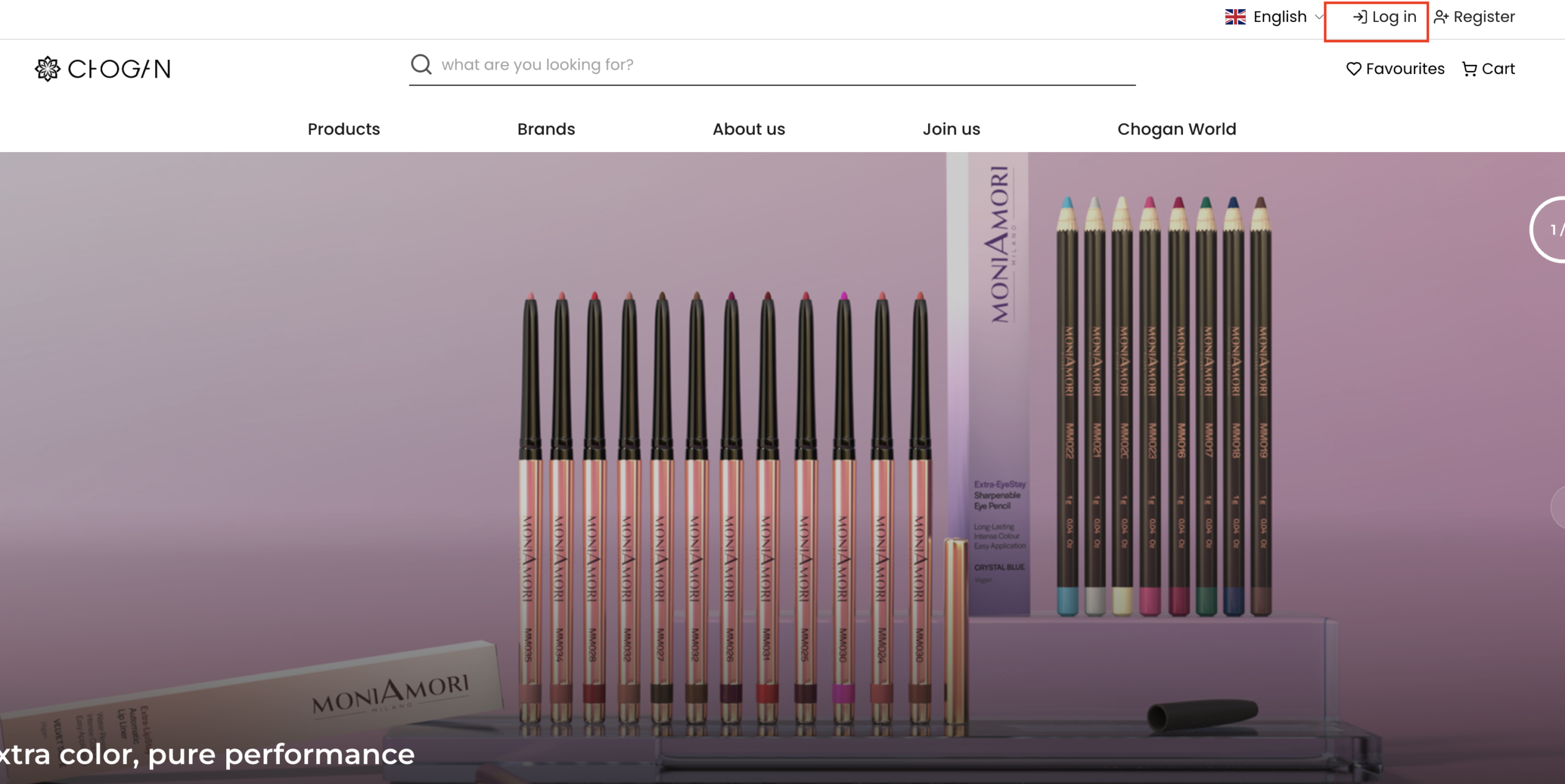
In Chogan, every partner has a unique ID. You can see your unique ID when you log in to the Chogan website in the top right corner.
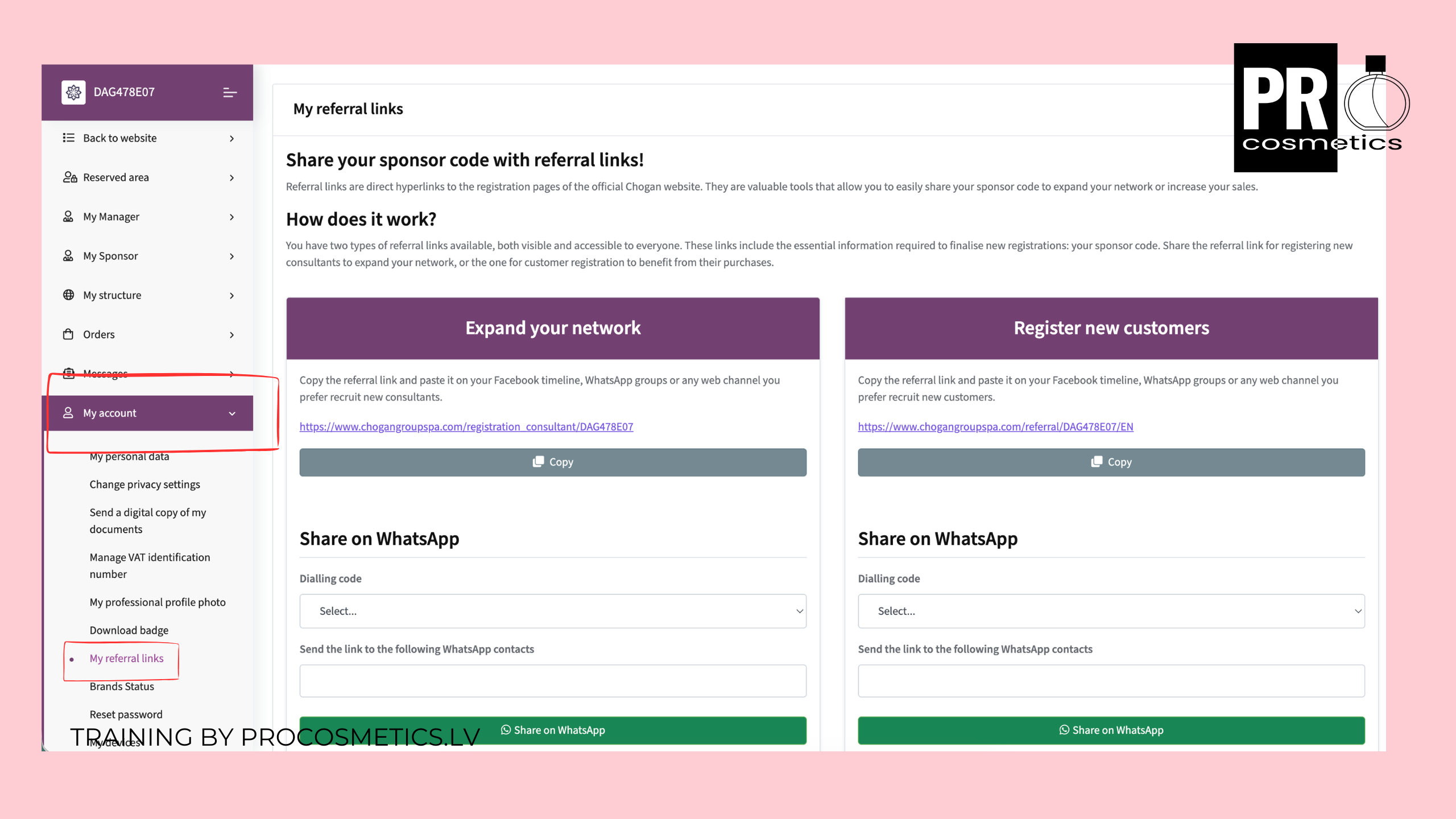
You also have 2 referral links in your profile, which include your sponsor code, which is visible at the end of the link. You can use these referral links to invite consultants to your team or clients who will buy directly from the Chogan website, and you will receive a commission for these clients from each product they buy. When someone registers using Your link, they are automatically placed in your team, and you become their sponsor.
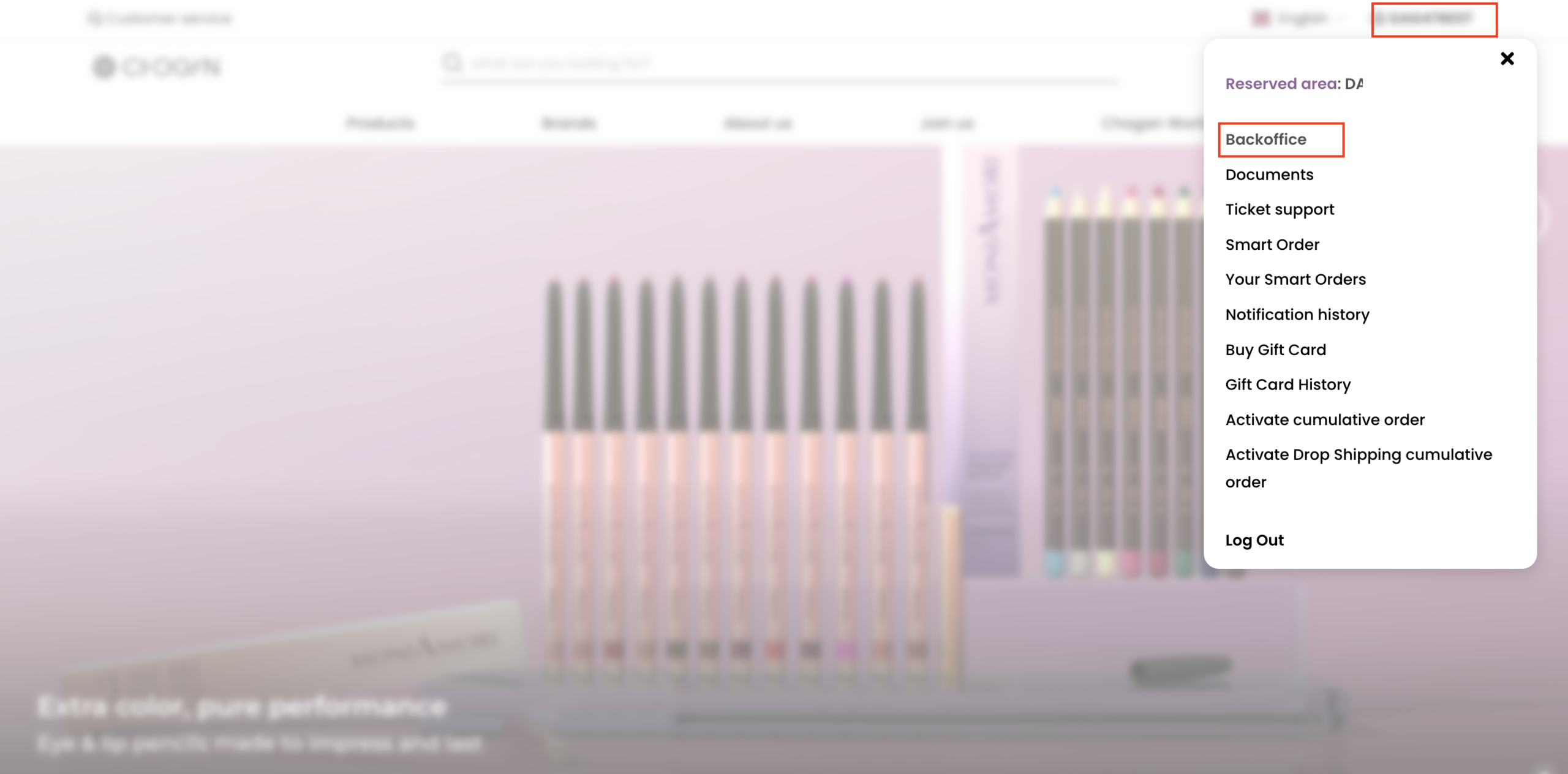
Where to find Chogan Refferal links: Log in to the official Chogan website, go to Backoffice and in Dashboard look for the “My Account” section. Under My Account you will fnd “My Refferal links” subsection. Below I have attached a screenshot showing where you can find your referral links. Below I have attached step-by-step screenshots showing how you can find your referral links in the Chogan backoffice.
How it works: This refferal link leads directly to the registration form where Your Consultant Code (e.g., DAG478E07) is already pre-filled.
Step 1: Log in
Step 2: Open Backoffice
Step 3: Navigate to May Account >My Refferal Links
2. Two Types of Links: Partner vs. Customer
Depending on who you are talking to, you might use different tools:
Expand your network (on the left): Send this referral link to people who want to earn money with Chogan and be on your team. This link is for registration to become a consultant.
Register new customers (on the right): Send this link to your customers who want to buy directly from the Chogan website themselves and pay for shipping. Use this only if the customers want to buy themselves. If a customer who registers with your link buys something form Chogan website, you will receive exactly the same commission as if you had sold the product in person. This commission will be credited to your Chogan account and you can withdraw it. You can withdraw it once a month when Chogan transfers your profit to your bank account.
3. Sharing Your Link Professionally
On Social Media: Add it to your Instagram/TikTok bio.
In Conversations: “I’ll send you my private registration link so you can register and become a consultant.”
This training is provided by an Independent Chogan Partner and is designed to help consultants navigate the professional landscape of the business.