1.6: How to add a VAT number to your Chogan profile
If you are a Chogan consultant and own a registered company with a valid VAT number, you can integrate it into your Chogan profile. This allows you to receive official business invoices and manage your professional purchases within the Chogan ecosystem.
Step 1: Submitting Your VAT Documents for Approval
Before you can make business purchases, Chogan’s administrative team must verify your company information.
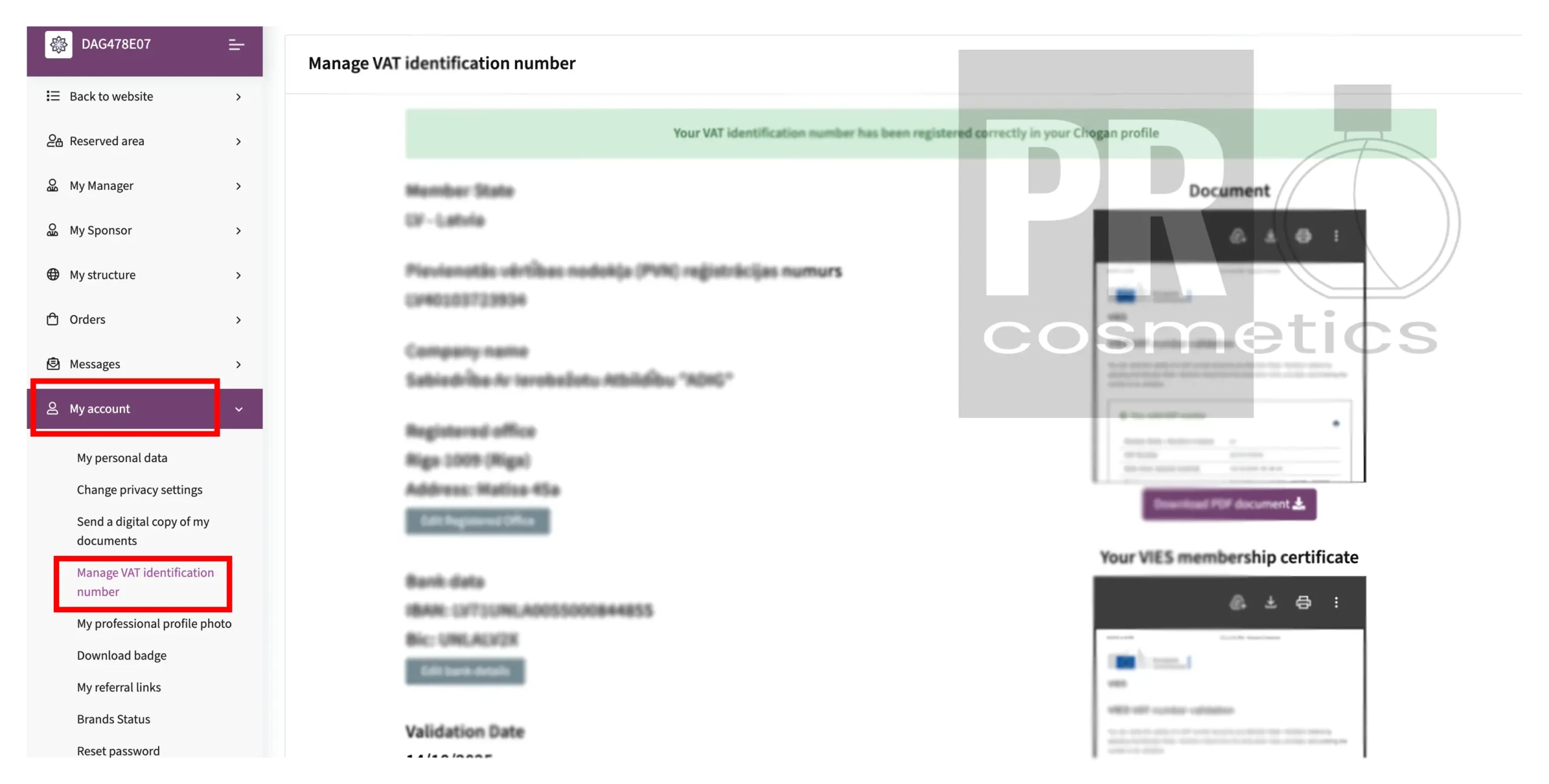
1. Navigate to the “My account” section in your sidebar menu.
2. Click on “Manage VAT identification number”.
3. Upload your business registration documents and your VIES membership certificate.
4. Verification: It typically takes a few business days to review your documents. Once approved, you will see a green confirmation bar stating that your VAT number has been registered correctly.
Step 2: Choosing Your Purchase Type at Checkout
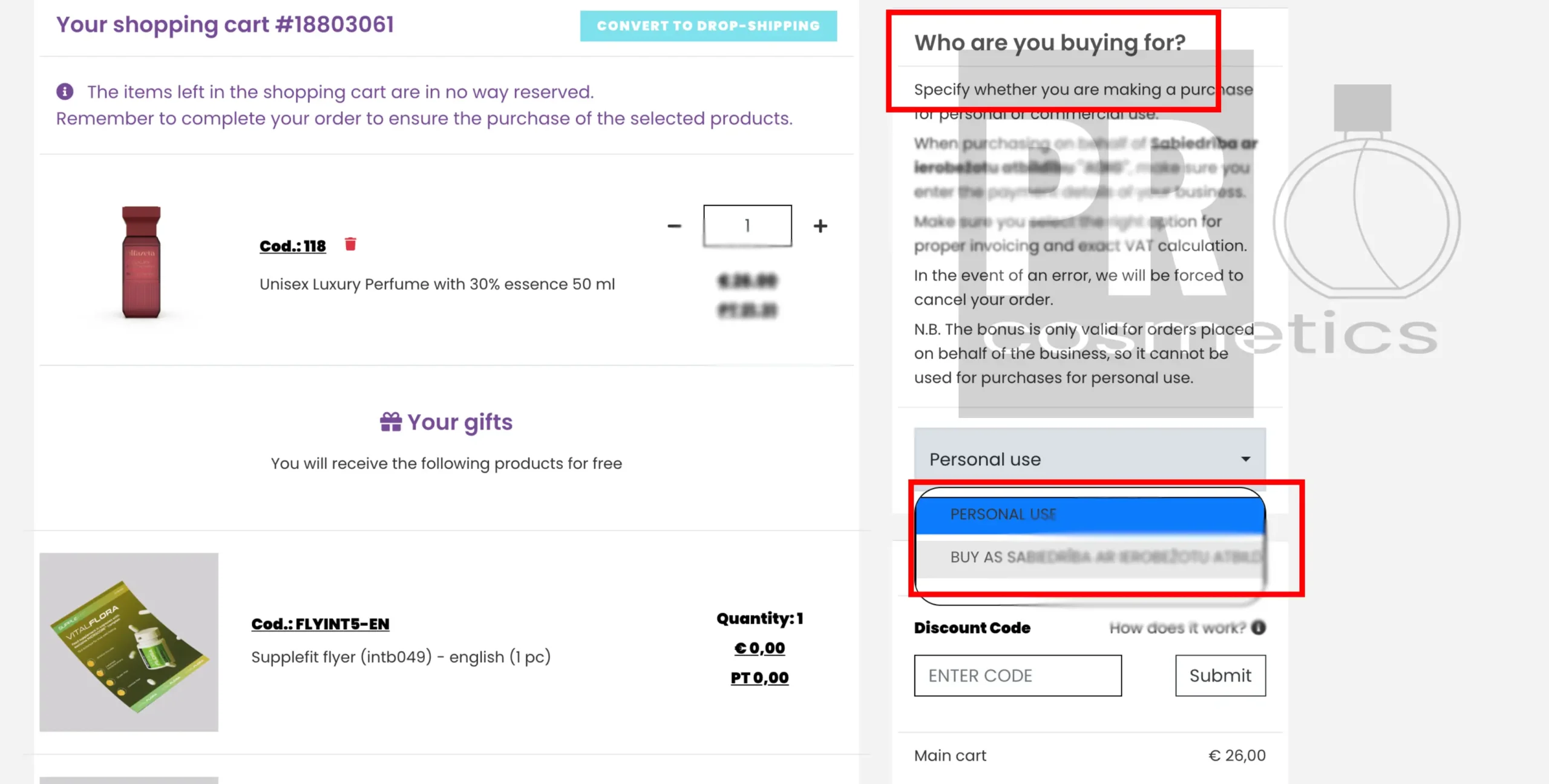
After your VAT number is verified, you will have the option to choose the type of purchase for every order you place.
In your shopping cart, look for the section: “Who are you buying for?”.